AI Video Restore
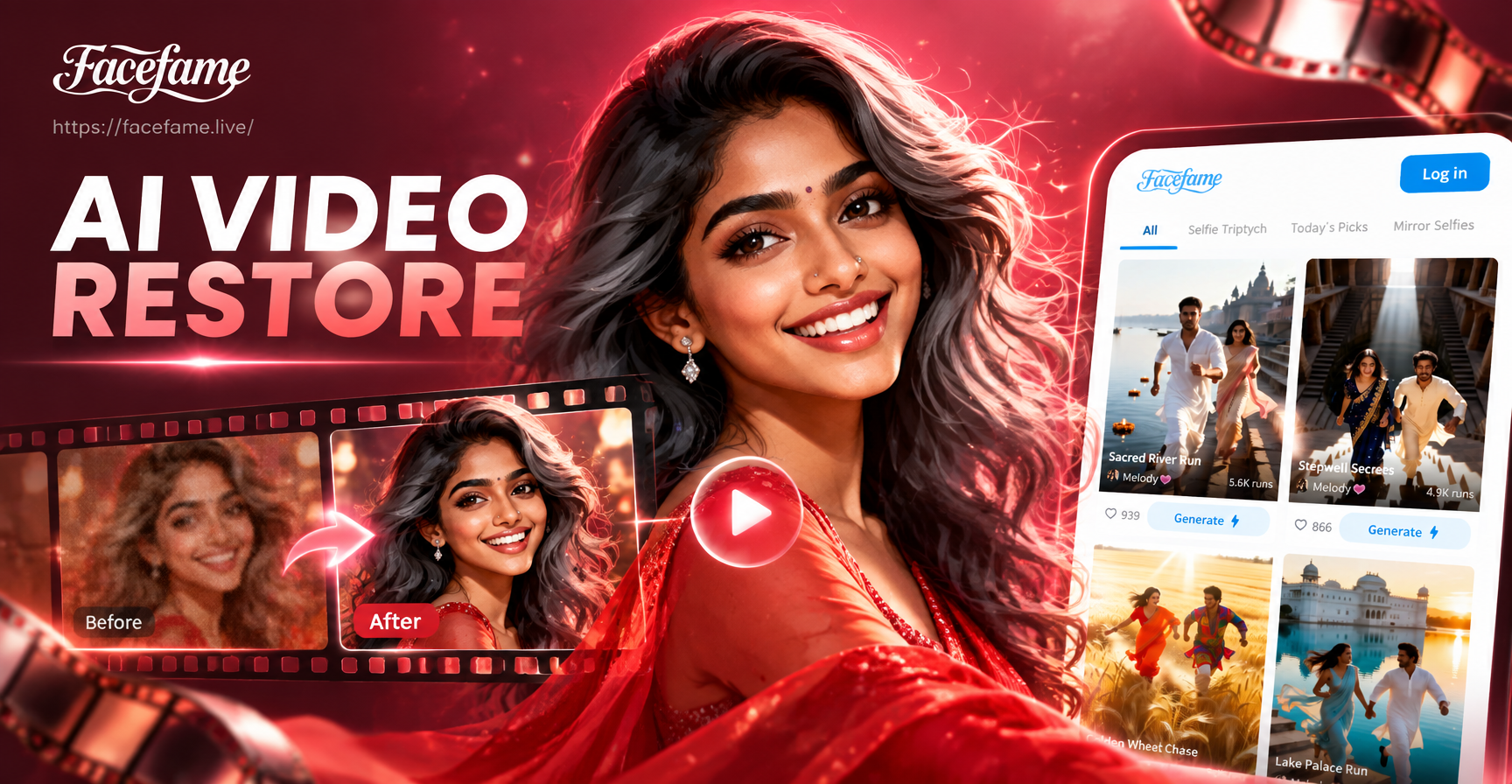
Find the Perfect Restoration Effect
From fixing grainy VHS tapes to upscaling compressed social media clips, choose the restoration filter designed for your specific video quality challenge.
How AI Video Restore Transforms Your Content
Our mobile AI analyzes each frame of your video to intelligently correct common quality issues, delivering professional-grade restoration without complex software.
Detail Enhancement & Upscaling
AI intelligently reconstructs lost details and sharpens blurry footage. It can upscale low-resolution videos to higher resolutions, making old clips look modern and crisp.
Noise & Grain Removal
Automatically clean up grainy, noisy video caused by low light or high ISO settings. The AI smoothens footage while preserving important textures and details.
Compression Artifact Repair
Fix the blocky, pixelated artifacts common in videos from social media, video calls, or heavily compressed files. Restore a smooth, clean viewing experience.
AI Video Restoration Results Gallery
See the dramatic transformations possible with AI Video Restore. From faded family videos to pixelated smartphone clips, witness how AI can recover and enhance your footage.
Why Choose AI for Video Restoration?
Traditional video editing software requires manual, frame-by-frame adjustments that are time-consuming and need expert skills. Our AI does all the complex analysis and enhancement automatically on your phone, making professional restoration accessible to everyone.
Why Choose AI for Video Restoration?
Traditional video editing software requires manual, frame-by-frame adjustments that are time-consuming and need expert skills. Our AI does all the complex analysis and enhancement automatically on your phone, making professional restoration accessible to everyone.
How to Restore Videos with AI?
Revive your videos in three simple steps directly from your mobile device. No technical knowledge or expensive software required.

Step 01.
Download the FaceFame app to access the AI Video Restore tool instantly on your smartphone.

Step 02.
Upload your blurry, grainy, or low-quality video and select the 'Video Restore' or specific enhancement filter that matches your needs.

Step 03.
Let the AI process your video. Download the enhanced, high-quality result and share the revived footage with friends and family.
Who Uses AI Video Restoration

Marcus T.
Digitized and restored my grandparents' wedding tape from the 80s. The AI removed the VHS static and color fade. It felt like recovering a lost piece of our family history.

Chloe R.
I repurpose old YouTube content for TikTok. The upscale and compression fix features are a game-changer. My early, low-res videos now look like they were shot yesterday.

David L.
Working with archival interview footage for a documentary. The noise reduction and stabilization saved us weeks of manual cleanup and a huge budget for professional services.
Sophia K.
Our brand had low-quality product demo videos from years ago. Instead of reshooting, we used AI restore. The enhanced videos look professional and saved us thousands.
Marcus T.
Digitized and restored my grandparents' wedding tape from the 80s. The AI removed the VHS static and color fade. It felt like recovering a lost piece of our family history.
Chloe R.
I repurpose old YouTube content for TikTok. The upscale and compression fix features are a game-changer. My early, low-res videos now look like they were shot yesterday.
David L.
Working with archival interview footage for a documentary. The noise reduction and stabilization saved us weeks of manual cleanup and a huge budget for professional services.
Sophia K.
Our brand had low-quality product demo videos from years ago. Instead of reshooting, we used AI restore. The enhanced videos look professional and saved us thousands.
Marcus T.
Digitized and restored my grandparents' wedding tape from the 80s. The AI removed the VHS static and color fade. It felt like recovering a lost piece of our family history.
Chloe R.
I repurpose old YouTube content for TikTok. The upscale and compression fix features are a game-changer. My early, low-res videos now look like they were shot yesterday.
David L.
Working with archival interview footage for a documentary. The noise reduction and stabilization saved us weeks of manual cleanup and a huge budget for professional services.
Sophia K.
Our brand had low-quality product demo videos from years ago. Instead of reshooting, we used AI restore. The enhanced videos look professional and saved us thousands.
AI Video Restore FAQs
Get answers to the most common questions about restoring and enhancing your videos with artificial intelligence.
Restore Videos On the Go
Carry a powerful video restoration studio in your pocket. Download the FaceFame app to enhance, upscale, and fix your videos anytime, anywhere.

More Topics You May Like
Explore more topics you may like and discover fresh ideas tailored to your interests.

AI Person Video Generator: Bring Photos to Life Instantly
AI Business Headshots: Professional Corporate Photos
AI Avatar Generator Video: Create Animated Avatars Instantly

Create Stunning AI Morphing Animations Instantly
AI Person Video Generator: Bring Photos to Life Instantly
AI Business Headshots: Professional Corporate Photos
AI Avatar Generator Video: Create Animated Avatars Instantly
Create Stunning AI Morphing Animations Instantly
Give Your Videos a Second Life
Don't let blurry, grainy, or low-quality videos stay in the past. Download FaceFame now and use AI to restore them to their full clarity and vibrancy in seconds.

Give Your Videos a Second Life
Don't let blurry, grainy, or low-quality videos stay in the past. Download FaceFame now and use AI to restore them to their full clarity and vibrancy in seconds.