AI Horse Riding Generator

Pick Your Favorite Horse Riding Effect Filter
Pick your favorite horse riding effect filter in Facefame. Turn photos into dynamic riding scenes with natural motion and clear style options.
Advantages of Using Facefame To Generate Horse Riding Effects
Facefame creates horse riding effects with easy steps, stable results, rich styles, and smooth motion for images and videos.
Realistic Horse Riding Effects
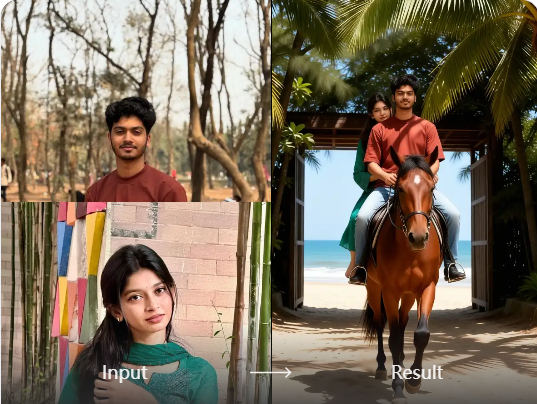
Create realistic horse riding effects with Facefame. Turn photos into natural riding scenes with smooth motion and stable character details. Both images and videos feel immersive and lifelike. You can see clear movement, balanced lighting, and realistic action that makes you feel like you are really in the scene.
Realistic Horse Riding Effects
Create realistic horse riding effects with Facefame. Turn photos into natural riding scenes with smooth motion and stable character details. Both images and videos feel immersive and lifelike. You can see clear movement, balanced lighting, and realistic action that makes you feel like you are really in the scene.
Rich Horse Riding Scenes
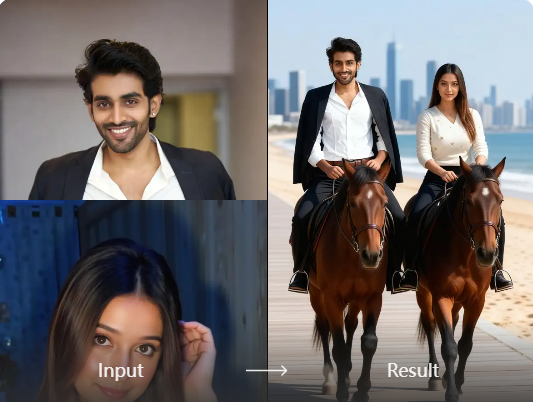
Facefame offers rich horse riding scene filters. You can create different riding styles with varied backgrounds, moods, and motion effects. From cinematic landscapes to creative fantasy settings, each filter helps you explore new ideas. It expands your creativity and makes every horse riding image or video more diverse and engaging.
Rich Horse Riding Scenes
Facefame offers rich horse riding scene filters. You can create different riding styles with varied backgrounds, moods, and motion effects. From cinematic landscapes to creative fantasy settings, each filter helps you explore new ideas. It expands your creativity and makes every horse riding image or video more diverse and engaging.
Beginner Friendly Workflow
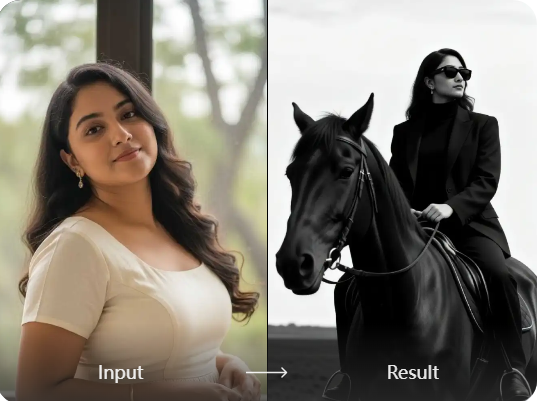
Facefame is a beginner friendly tool designed for easy creation. The workflow is simple and clear. You only need three steps to generate horse riding images or videos. It also supports mobile app download, so you can open Facefame anytime and create content anywhere with fast and smooth results.
Beginner Friendly Workflow
Facefame is a beginner friendly tool designed for easy creation. The workflow is simple and clear. You only need three steps to generate horse riding images or videos. It also supports mobile app download, so you can open Facefame anytime and create content anywhere with fast and smooth results.
How To Use Facefame To Generate Horse Riding Effects?
Check out how to convert your photos into horse riding images and videos in Facefame, and follow the tutorial to try it yourself.

Step 01.
Install the Facefame app so you can easily start turning your photos into horse riding images or videos anytime.

Step 02.
Select your favorite horse riding filter in the app and upload a clear photo of your face to it.

Step 03.
Click the button, and Facefame will start turning your photo into horse riding images or videos.
Feedback From Facefame Horse Riding Filter Users

Ava Johnson
I used Facefame to turn my photo into a horse riding scene. The motion looks natural, and my face stays clear and consistent. It feels like a real short video created in seconds.

Liam Carter
I tried different horse riding filters in Facefame and liked how easy it was. I only uploaded one image and got a dynamic riding video with smooth movement and clean background style.

Mia Thompson
I created a group horse riding image with Facefame using a couple photo. Both faces stayed accurate, and the scene looked balanced. The result felt realistic and ready to share on social media.

Noah Williams
I wanted a creative horse riding effect for fun, and Facefame delivered quickly. The generated video shows natural riding motion, stable character details, and smooth transitions without needing any editing skills.
Ava Johnson
I used Facefame to turn my photo into a horse riding scene. The motion looks natural, and my face stays clear and consistent. It feels like a real short video created in seconds.
Liam Carter
I tried different horse riding filters in Facefame and liked how easy it was. I only uploaded one image and got a dynamic riding video with smooth movement and clean background style.
Mia Thompson
I created a group horse riding image with Facefame using a couple photo. Both faces stayed accurate, and the scene looked balanced. The result felt realistic and ready to share on social media.
Noah Williams
I wanted a creative horse riding effect for fun, and Facefame delivered quickly. The generated video shows natural riding motion, stable character details, and smooth transitions without needing any editing skills.
Ava Johnson
I used Facefame to turn my photo into a horse riding scene. The motion looks natural, and my face stays clear and consistent. It feels like a real short video created in seconds.
Liam Carter
I tried different horse riding filters in Facefame and liked how easy it was. I only uploaded one image and got a dynamic riding video with smooth movement and clean background style.
Mia Thompson
I created a group horse riding image with Facefame using a couple photo. Both faces stayed accurate, and the scene looked balanced. The result felt realistic and ready to share on social media.
Noah Williams
I wanted a creative horse riding effect for fun, and Facefame delivered quickly. The generated video shows natural riding motion, stable character details, and smooth transitions without needing any editing skills.

AI Horse Riding Effects in Facefame
Create horse riding effects in Facefame. Turn photos into dynamic scenes with natural motion, stable identity, and smooth video style results inside the app.
Frequently Asked Questions
Find clear answers to common questions and get the guidance you need to make the most of our platform, faster and easier.
More Topics You May Like
Explore more topics you may like and discover fresh ideas tailored to your interests.

AI FIFA Athlete Filter
AI Bloom Effect
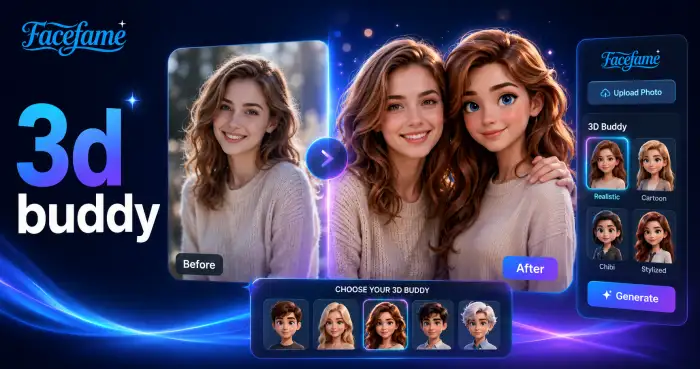
3d Buddy
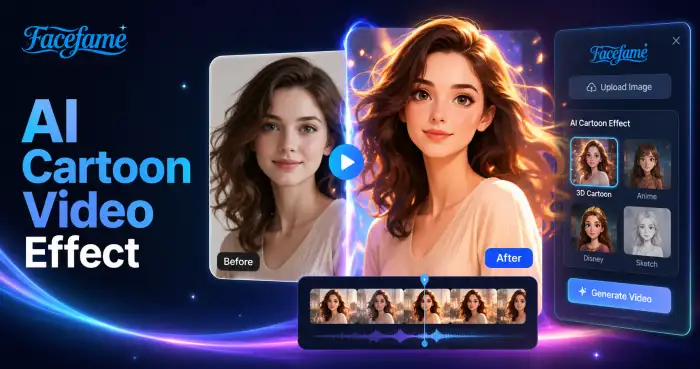
AI Cartoon Video Effect
AI FIFA Athlete Filter
AI Bloom Effect
3d Buddy
AI Cartoon Video Effect
Create Horse Riding Effects With Facefame AI Generator
Download the Facefame app to create horse riding effects, turn photos into dynamic videos, and explore easy AI generation with rich style filters.
Create Horse Riding Effects With Facefame AI Generator
Download the Facefame app to create horse riding effects, turn photos into dynamic videos, and explore easy AI generation with rich style filters.