AI Id Photo Generator
Create professional ID photos with Facefame using AI. Generate clear and realistic results from your photos in minutes. The output looks natural, meets common ID standards, and delivers clean visual quality suitable for documents, profiles, and official use cases.
 Before
 After
After
Facefame Studio
Switch to Facefame Studio on APP for advanced control and unlimited exports.

Best ID Photo Filters for Professional Results
Explore the best ID photo filters for clean, professional results, with realistic styles and easy customization for different needs.
Benefits of Creating AI ID Photos with Facefame
Facefame creates fast, realistic AI ID photos with simple steps, clear results, and professional quality for various uses.
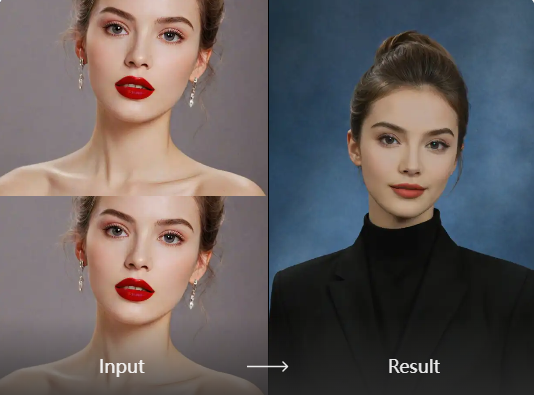
Simple and Easy ID Photo Creation
Facefame makes ID photo creation simple and easy. You can follow clear steps or a short tutorial to complete the process. In just a few minutes, you can turn a photo into a professional ID image. It is fast, beginner friendly, and suitable for daily and official needs.
Simple and Easy ID Photo Creation
Facefame makes ID photo creation simple and easy. You can follow clear steps or a short tutorial to complete the process. In just a few minutes, you can turn a photo into a professional ID image. It is fast, beginner friendly, and suitable for daily and official needs.
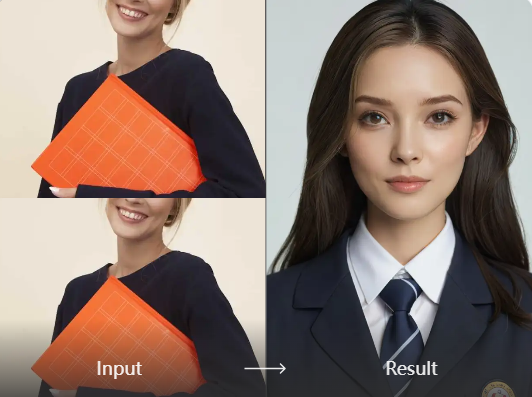
Multi-Scenario ID Photo Filters
Facefame provides multiple ID photo filters for different scenarios. You can create various styles of ID photos for professional documents, job applications, resumes, and personal profiles. Each filter helps adjust background, lighting, and tone, so your images fit different use cases while keeping a clean and consistent appearance.
Multi-Scenario ID Photo Filters
Facefame provides multiple ID photo filters for different scenarios. You can create various styles of ID photos for professional documents, job applications, resumes, and personal profiles. Each filter helps adjust background, lighting, and tone, so your images fit different use cases while keeping a clean and consistent appearance.
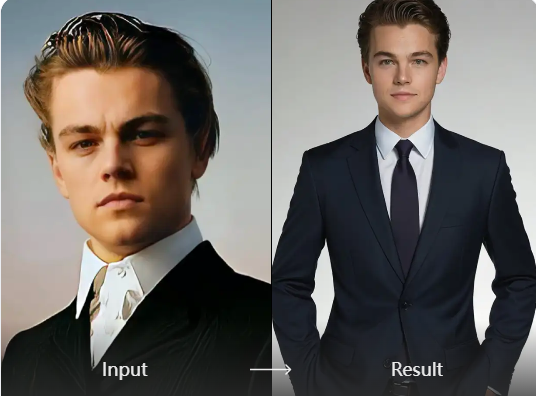
Highly Realistic ID Photo Output
Facefame produces highly realistic ID photo results with natural visual quality. You can upload a clear face photo, and the system will integrate your features into the selected filter. It preserves your unique facial details while adjusting lighting and background, creating an ID photo that looks close to real photography.
Highly Realistic ID Photo Output
Facefame produces highly realistic ID photo results with natural visual quality. You can upload a clear face photo, and the system will integrate your features into the selected filter. It preserves your unique facial details while adjusting lighting and background, creating an ID photo that looks close to real photography.
How to Create AI ID Photos with Facefame?
Learn how to generate AI ID photos in Facefame, follow the step-by-step guide, and create your own ID photo today.

Step 01.
Get started by downloading our app to easily generate AI ID photos anytime, anywhere.

Step 02.
Select from a variety of fun and realistic filters to customize your AI ID photos to your liking.

Step 03.
Create your AI ID photos, then download and share them with friends or on social media.
Real Experiences from Facefame Users

Emily Carter
I used Facefame to create an AI ID photo and the result looked clean and natural. The process was simple and I got a professional style image in a few minutes.

Jason Miller
Facefame helped me turn a selfie into a realistic ID photo quickly. The quality is clear and suitable for online profiles and documents. I did not need any editing experience.

Sophia Lee
I tried different ID photo filters in Facefame and all of them produced consistent results. The face details were well preserved and the background looked clean and suitable for formal use.

Daniel Brooks
The AI ID photo tool in Facefame is fast and easy. I uploaded a picture and got a professional looking result without a long waiting time. It works well for everyday needs.
Emily Carter
I used Facefame to create an AI ID photo and the result looked clean and natural. The process was simple and I got a professional style image in a few minutes.
Jason Miller
Facefame helped me turn a selfie into a realistic ID photo quickly. The quality is clear and suitable for online profiles and documents. I did not need any editing experience.
Sophia Lee
I tried different ID photo filters in Facefame and all of them produced consistent results. The face details were well preserved and the background looked clean and suitable for formal use.
Daniel Brooks
The AI ID photo tool in Facefame is fast and easy. I uploaded a picture and got a professional looking result without a long waiting time. It works well for everyday needs.
Emily Carter
I used Facefame to create an AI ID photo and the result looked clean and natural. The process was simple and I got a professional style image in a few minutes.
Jason Miller
Facefame helped me turn a selfie into a realistic ID photo quickly. The quality is clear and suitable for online profiles and documents. I did not need any editing experience.
Sophia Lee
I tried different ID photo filters in Facefame and all of them produced consistent results. The face details were well preserved and the background looked clean and suitable for formal use.
Daniel Brooks
The AI ID photo tool in Facefame is fast and easy. I uploaded a picture and got a professional looking result without a long waiting time. It works well for everyday needs.

Create Professional AI ID Photos in Minutes
Turn your photos into professional AI ID images with Facefame. Get clean, realistic results in minutes with simple steps and reliable quality for everyday and official use cases.

Frequently Asked Questions
Find clear answers to common questions and get the guidance you need to make the most of our platform, faster and easier.
More Topics You May Like
Explore more topics you may like and discover fresh ideas tailored to your interests.
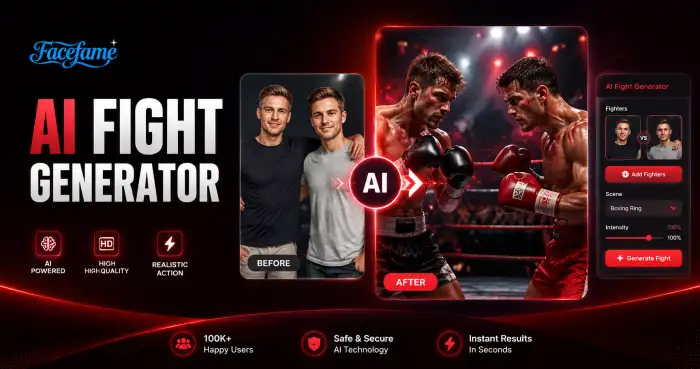
AI Fight Generator
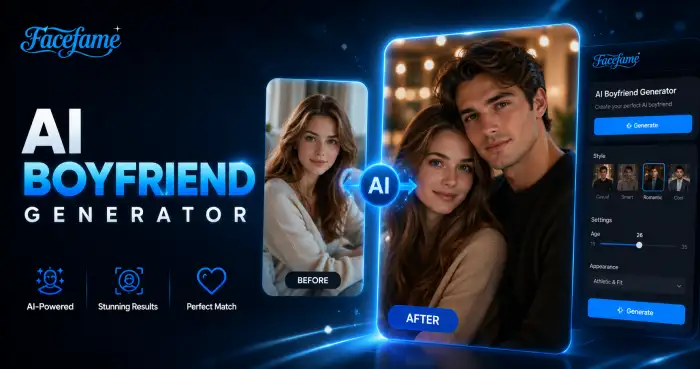
AI Boyfriend Generator

AI Birthday Party Video
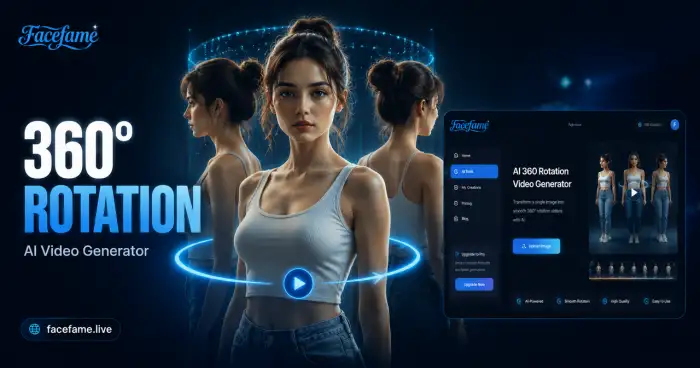
AI 360 Rotation Video Generator
AI Fight Generator
AI Boyfriend Generator
AI Birthday Party Video
AI 360 Rotation Video Generator
Create Your Professional AI ID Photo with Facefame
Download Facefame to create professional AI ID photos with fast results, realistic quality, and simple steps for everyday and official use needs.
Create Your Professional AI ID Photo with Facefame
Download Facefame to create professional AI ID photos with fast results, realistic quality, and simple steps for everyday and official use needs.