Photo Zoom In Effect

Choose the Zoom Effect That Fits Your Style
Browse facefame filters designed for photo zoom in effects, including slow cinematic zoom, quick punch in, portrait focus zoom, and more.
Key Features of the Photo Zoom In Effect
Create smooth, professional zoom in effects without any video editing experience. facefame handles motion, timing, and quality so you can focus on creativity.

Smooth Cinematic Zoom
Apply a buttery smooth zoom in effect that gradually brings your subject closer. Perfect for emotional portraits, product reveals, and dramatic storytelling.
Smooth Cinematic Zoom
Apply a buttery smooth zoom in effect that gradually brings your subject closer. Perfect for emotional portraits, product reveals, and dramatic storytelling.

Customizable Zoom Speed
Adjust the zoom speed and direction to match your mood. Slow zooms build anticipation while fast zooms create energetic transitions for social content.
Customizable Zoom Speed
Adjust the zoom speed and direction to match your mood. Slow zooms build anticipation while fast zooms create energetic transitions for social content.

High Resolution Output
Generate zoom in effect videos in crisp HD quality. Your photo stays sharp and clear even when zoomed in, with no pixelation or blur.
High Resolution Output
Generate zoom in effect videos in crisp HD quality. Your photo stays sharp and clear even when zoomed in, with no pixelation or blur.
How to Create a Photo Zoom In Effect
Add a smooth zoom in effect to your favorite photo in three simple steps.

Step 01.
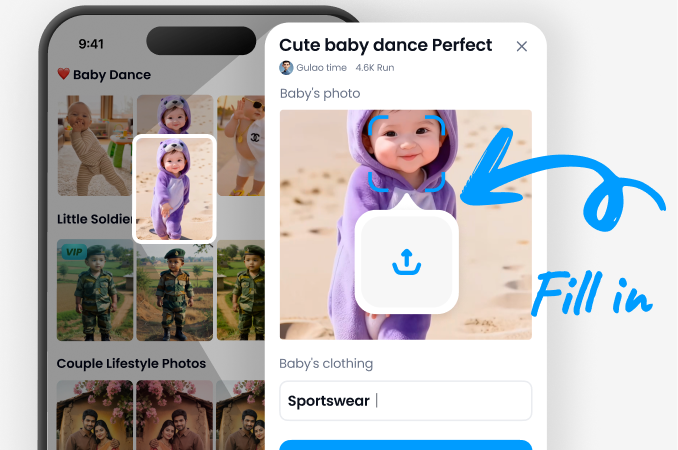
Download the facefame app from Google Play and open it on your phone. It only takes a minute to get started.
Step 02.
Upload the photo you want to zoom into and choose a zoom style filter. You can pick cinematic, portrait, quick zoom, or slow motion.

Step 03.
Tap generate and watch your photo turn into a smooth zoom in video. Download it and share directly to social media.
Photo Zoom In Effect Creations Gallery
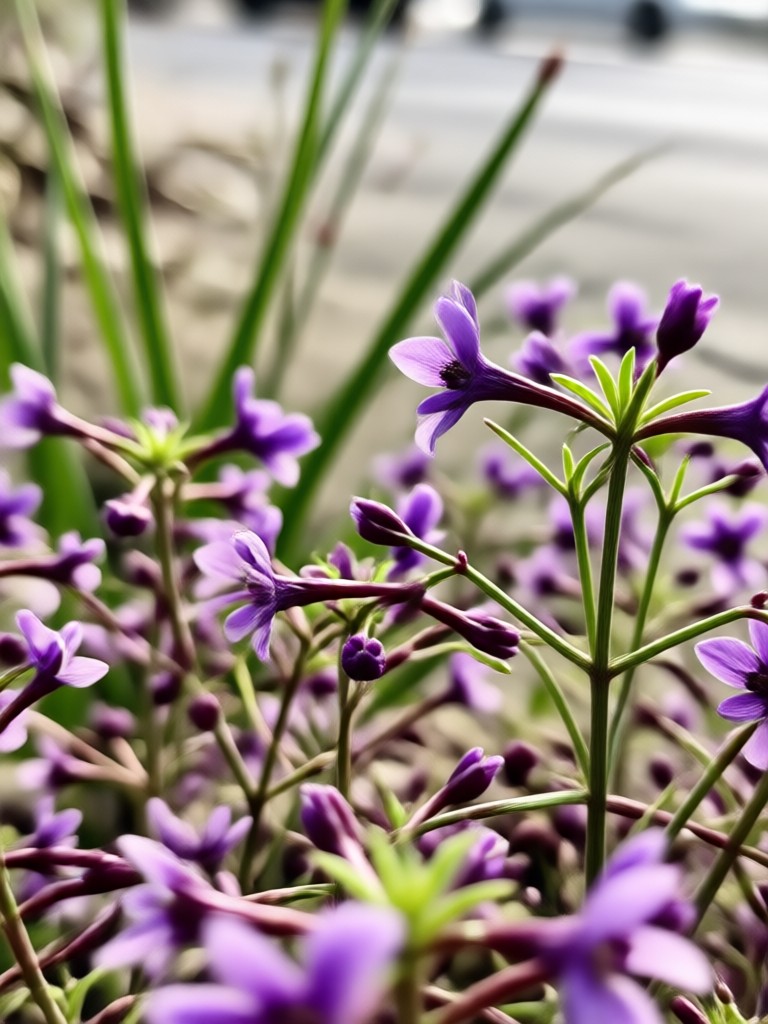
Explore stunning photo zoom in effect examples made with facefame. See how our AI transforms still images into dynamic motion clips for every style.












Why Use facefame for Photo Zoom In Effects
facefame makes it effortless to add professional motion to your photos. No timeline editing, no keyframes, no learning curve. Just upload, choose a style, and generate a smooth zoom in clip in seconds.
Why Use facefame for Photo Zoom In Effects
facefame makes it effortless to add professional motion to your photos. No timeline editing, no keyframes, no learning curve. Just upload, choose a style, and generate a smooth zoom in clip in seconds.
Photo Zoom In Effect App for Android
Create smooth zoom in effect videos directly from your phone. facefame delivers fast rendering, high quality output, and a huge library of zoom styles for every occasion.

Who Uses the Photo Zoom In Effect

Dana Park
I use the zoom in effect for my travel reels. It makes a simple photo feel like a cinematic opening shot. My engagement has gone up since I started using facefame.

Luis Moreno
As a product photographer, adding a quick zoom to my shots helps highlight details. The process takes seconds and the output is always smooth.

Aisha Khan
I love the custom zoom speed options. For my makeup tutorials, a slow zoom on the eyes gives a dramatic feel that my followers really enjoy.

Tom Becker
No video editing experience needed. I upload a family photo, pick a zoom style, and send it to relatives. They think I hired an editor.
Dana Park
I use the zoom in effect for my travel reels. It makes a simple photo feel like a cinematic opening shot. My engagement has gone up since I started using facefame.
Luis Moreno
As a product photographer, adding a quick zoom to my shots helps highlight details. The process takes seconds and the output is always smooth.
Aisha Khan
I love the custom zoom speed options. For my makeup tutorials, a slow zoom on the eyes gives a dramatic feel that my followers really enjoy.
Tom Becker
No video editing experience needed. I upload a family photo, pick a zoom style, and send it to relatives. They think I hired an editor.
Dana Park
I use the zoom in effect for my travel reels. It makes a simple photo feel like a cinematic opening shot. My engagement has gone up since I started using facefame.
Luis Moreno
As a product photographer, adding a quick zoom to my shots helps highlight details. The process takes seconds and the output is always smooth.
Aisha Khan
I love the custom zoom speed options. For my makeup tutorials, a slow zoom on the eyes gives a dramatic feel that my followers really enjoy.
Tom Becker
No video editing experience needed. I upload a family photo, pick a zoom style, and send it to relatives. They think I hired an editor.
Frequently Asked Questions About Photo Zoom In Effect
Get clear answers about creating photo zoom in effects with facefame, including how it works, quality, and sharing options.
More Photo Effects You May Like
Explore more creative photo effects and video tools to take your content further.

Convert JPG To AI Art: Turn Photos Into Stunning Styles
Convert JPG to AI art in seconds. Upload any photo and apply one of 1,000,000+ style filters. Create anime, 3D clay, painting and cyberpunk looks. Download the free app.

AI Princess Generator: Turn Photos Into Fairy Tale Art
Create stunning princess portraits from your photos with AI Princess Generator. Upload a selfie and get royal transformations in seconds. Try magical styles now.

Clean Up TikTok Photos: Remove Watermarks Instantly
Remove watermarks from TikTok photos with AI. Upload a photo, let facefame clean stamps, logos, and text overlays, and get a crisp image in seconds. Download the app now.

Add Bangs To Photo: Try On Haircuts Virtually
Add bangs to your photo in seconds. Upload a picture, pick a fringe style, and see your new look instantly. Try wispy, blunt, or curtain bangs. Download the app now.
Add Stunning Photo Zoom In Effects Today
Transform your favorite photos into smooth, cinematic zoom in videos with facefame. Download the app and start creating in minutes.

Add Stunning Photo Zoom In Effects Today
Transform your favorite photos into smooth, cinematic zoom in videos with facefame. Download the app and start creating in minutes.