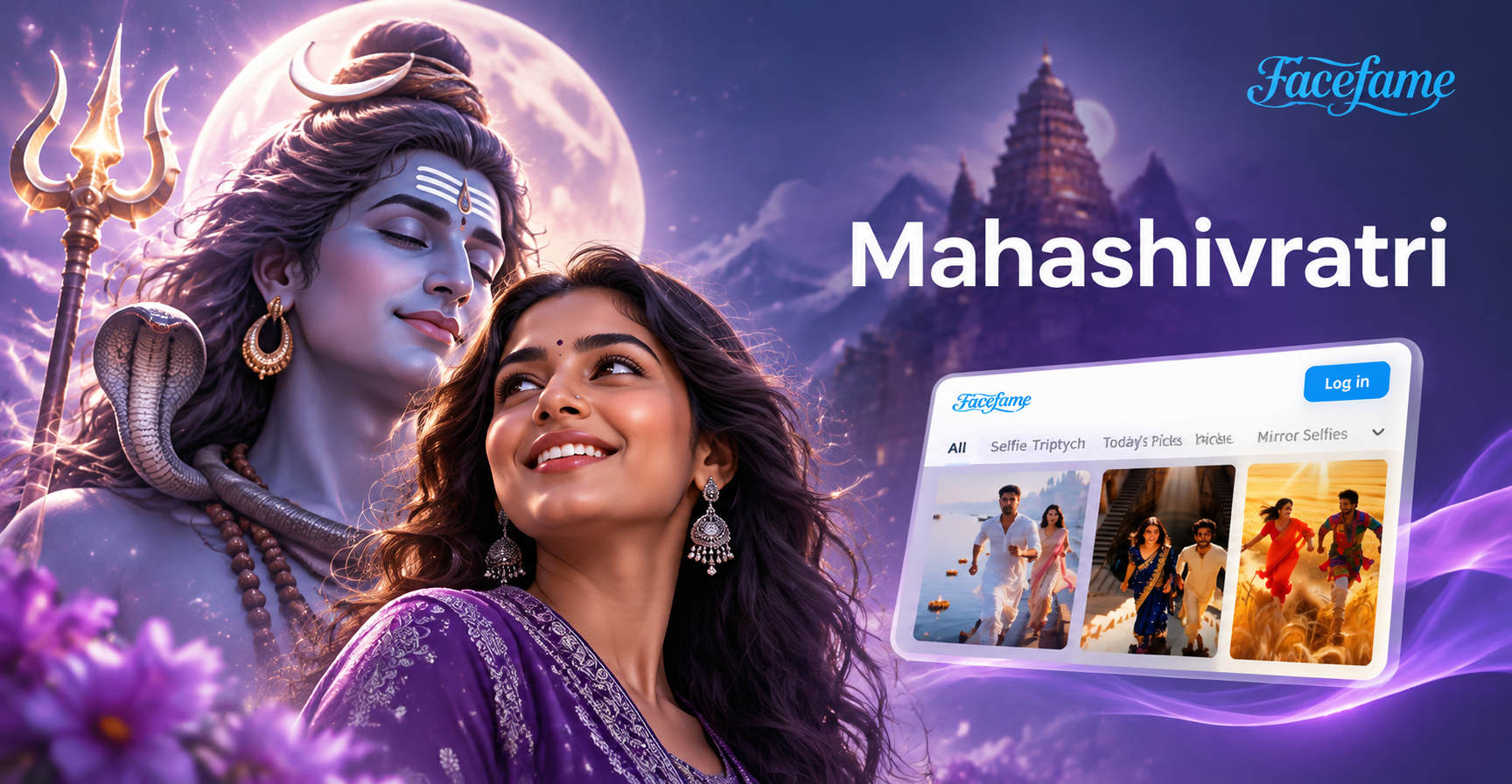
Mahashivratri AI photo editing prompts give you a practical way to create devotional images without spending hours learning complex photo retouching tools. These prompts are written instructions that tell an AI image generator exactly what to add, change, or create. You can use them to turn a simple portrait into a Shiva themed artwork, place yourself in a temple courtyard, or design a festival poster with the right mood and colour palette.
This guide is built around the complete idea of Mahashivratri AI photo editing prompts. You will find ready to copy prompts for classic Shiva portraits, night temple scenes, mythological art, minimalist posters, and family devotional edits. Each prompt works best inside the facefame mobile app, where you can choose a style template and generate the final image in seconds.
What Makes a Strong Mahashivratri AI Photo Prompt?
A weak prompt says something like make a Shiva photo. A strong prompt gives the AI enough detail to control the face, the outfit, the background, the lighting, and the camera distance. For Mahashivratri edits, the most useful formula is:
- Subject and expression
- Deity details such as ash, crescent moon, matted hair, rudraksha, snake, or blue neck
- Clothing and ornaments
- Background such as temple, Mount Kailash, cave, or festival street
- Lighting and camera style such as warm oil lamp light, moonlit night, close up, or wide shot
Example: A serene Lord Shiva face with matted hair, Ganga flowing from the topknot, ash smeared forehead, rudraksha beads, a deep blue neck, golden temple hall in soft candlelight, shallow depth of field, realistic devotional portrait.
You can paste that prompt as is into a text to image tool, or shorten it for image to image editing. The more specific the visual cues, the better the festival mood.
25 Mahashivratri AI Photo Editing Prompts
Copy any prompt below and adjust the subject to match your own photo. For image to image editing, start the prompt with Keep my face natural and then continue with the scene details.
Classic Shiva Portrait Prompts
- Turn my portrait into a Mahashivratri devotional photo of Lord Shiva. Keep my face shape, add ash markings on the forehead, matted hair with a crescent moon, rudraksha beads, a calm expression, and a deep blue neck against a dark temple background.
- Create a close up Mahashivratri portrait of Shiva with a third eye, ash covered skin, matted hair, Ganga flowing from the topknot, warm oil lamp lighting, and a blurred stone temple behind him.
- Edit this photo into a Mahashivratri ritual scene. Add a copper pot of water, bel leaves on a Shivling, incense smoke, marigold garlands, and my hands offering a lotus, natural evening light.
- Generate a photorealistic Mahashivratri profile of Lord Shiva in deep meditation, wearing a tiger skin shawl, a snake around the neck, a crescent moon, and cold blue dawn light from a Himalayan cave.
- Turn this selfie into a Mahashivratri inspired portrait with golden tribal paint on the arms, a saffron dhoti, a rudraksha necklace, and a glowing trident behind the right shoulder, festive bokeh lights.
Cinematic Temple and Night Scenes
- Create a wide Mahashivratri scene of a devotee walking toward an ancient Shiva temple at night, with oil lamps lining the path, a full moon behind the shikhara, and smoke rising from a havan.
- Turn the background of this photo into a grand Mahashivratri temple courtyard filled with devotees, drummers, and dancers, with the main deity decked in white flowers and the sky full of soft golden light.
- Generate a cinematic Mahashivratri shot of a woman in a red and gold saree performing aarti with a brass lamp in front of a large Shivling, with blurred marigold garlands in the foreground.
- Place me inside a Mahashivratri night procession, holding a small damru, surrounded by men and women in traditional attire, dhol players, saffron flags, and gentle fire sparks.
- Create a moody Mahashivratri temple corridor with stone pillars, hanging brass lamps, a distant glowing Shivling, and my silhouette standing with folded hands.
Ethereal and Mythological Art
- Transform my portrait into an ethereal Mahashivratri painting of Shiva and Parvati sitting on Mount Kailash, with soft snow, a crescent moon, blue body of Shiva, and Parvati in a red silk saree.
- Make a watercolor Mahashivratri illustration of a meditating Shiva with the Ganga flowing from his hair, a crescent moon, a trishul, and a small Nandi bull resting at his feet.
- Generate a mystical Mahashivratri image of Nataraja in a golden ring of fire, with cosmic dust, stars, and a dark temple hall, in a digital art style.
- Create an ethereal Mahashivratri portrait of me with a glowing third eye, a crescent moon in the hair, a blue tint on the neck, and floating ash particles around the face.
- Turn this group photo into a Mahashivratri mythological family scene, with everyone wearing traditional white and saffron, a small Shivling at the center, and a soft aura of golden light.
Minimalist and Poster Style Edits
- Make a minimalist Mahashivratri poster using my photo, with a dark navy background, a single trishul silhouette behind me, and a clean poster title area left empty for later text.
- Create a flat vector Mahashivratri poster of Lord Shiva with a trishul, damru, crescent moon, and marigold border, using bold saffron, white, and deep blue colours.
- Turn my profile photo into a Mahashivratri social media avatar with a soft ring of fire behind the head, a small crescent moon on the forehead, and a dark teal gradient background.
- Generate a minimalist Mahashivratri image of a Shivling surrounded by bel leaves, a single oil lamp, and a dark charcoal background with soft smoke.
- Edit this portrait into a Mahashivratri poster style where I wear a white dhoti and rudraksha beads, standing beside a glowing trishul, with a cream and saffron temple arch.
Group and Family Devotional Edits
- Turn this family photo into a Mahashivratri prayer scene, keeping each face natural, with everyone seated on a patterned rug, brass plates with flowers, and a decorated Shivling in front.
- Create a Mahashivratri group edit of four friends in matching saffron kurtas, each holding a small diya, with a large temple door and hanging marigold strings behind.
- Transform this couple photo into a Mahashivratri inspired portrait of Shiva and Parvati, with the man wearing a tiger skin and the woman in a red saree, under a moonlit Himalayan sky.
- Generate a warm Mahashivratri family moment inside a temple, with children offering flowers to a small Shivling, elders sitting with folded hands, and soft lamp light on everyone.
- Make a Mahashivratri dance celebration photo of me and my friends in ethnic wear, with dhol players on the side, marigold petals in the air, and a rustic temple wall behind.
How to Use These Prompts in the facefame App
facefame is available as a mobile app on Google Play. Once downloaded, open the app and decide whether you want a fresh original image or an edit of an existing photo. For a new deity artwork, choose Text to Image. For transforming your own portrait or a family photo, choose Image to Image.
- Open facefame and choose Text to Image or Image to Image.
- Paste one Mahashivratri prompt into the input field.
- Select a style template that matches the prompt. Realistic photography works well for temple portraits. Illustration or vector works better for poster style edits.
- Tap generate and wait for the result.
- Download the image or continue with Image to Video if you want an animated Mahashivratri greeting.
You do not need to write complex prompt engineering commands. The style templates inside the app handle much of the texture, colour grading, and finishing work.
How to Fix Common Weak Results
- Face looks stretched or merged: use a clear front facing original as the image reference and mention keep my face natural at the start of the prompt.
- Missing objects: limit each prompt to one or two key festival objects such as the trishul and the Shivling. Too many requested items can confuse the generator.
- Wrong neck or skin colour: specify deep blue neck only, not full body blue, if you want a portrait rather than a full deity figure.
- Cluttered background: mention a blurred background or shallow depth of field when the focus should remain on the face.
- Unwanted distorted text: avoid asking the AI to render festival words. Leave an empty space for text and add the greeting later in a separate editor.
- Low resolution output: start with the highest quality source photo available and choose the HD output option inside the app.
Adapting These Mahashivratri Prompts for Different Photos
For a self portrait, replace Lord Shiva with me as a devotee and keep the same temple background and lighting. For a couple photo, use the Shiva and Parvati prompt and mention both faces naturally. For a group photo, use the family or friends prompts and instruct the AI to keep each face separate. For a new artwork with no existing face, delete the reference to my photo and keep the full scene description.
You can also change the colour mood. Swap golden oil lamp light with cold blue moonlight for a more meditative feel. Swap the temple background with Mount Kailash and snow for a Himalayan look. Small changes to one line can produce a completely different festival image.
Final Checklist for Mahashivratri AI Photo Edits
- Keep the central theme devotional and respectful to Mahashivratri traditions.
- Use a consistent colour palette of saffron, deep blue, white, marigold yellow, and temple gold.
- Add one of the following to most prompts: third eye, crescent moon, rudraksha, trishul, Shivling, bel leaf, or damru.
- Mention the lighting clearly because it controls the festival mood.
- Generate several versions with small changes and keep the best one.
- Add the final greeting text in an editor after the image is generated.
Use these Mahashivratri AI photo editing prompts as a starting point, then adjust the subject, clothing, and background to match your own photo. With facefame on your phone, you can turn plain portraits into devotional art, festival posters, and animated greetings in a few minutes.